On a computer, every Play Parking game drives with either W A S D or the arrow keys. Up accelerates, down brakes and then reverses, and left and right steer. Space is a brake that never reverses, and four more keys handle pause, restart, camera and sound.
Knowing the keys is the easy part. Using them well, with short taps, the right brake at the right moment and a comfortable hand position, is what separates a "Parking Complete!" from a "Perfect Park!" This guide focuses on those habits. For a one-table overview of every input, including touch buttons, see the full parking game controls guide.
WASD or arrows?
Both sets do exactly the same thing, so pick whichever feels natural. There are small practical differences, though:
- WASD keeps your left hand close to Space, R and C. You can brake without reversing, restart and switch camera without moving your hand.
- Arrow keys free your left hand for Space on its own, which some players find comfortable: right hand drives, left thumb holds the precise stop.
A layout many players settle into: left hand on WASD, thumb resting on Space, index finger able to reach C and R.
Tap, don't hold, for fine work
Keys are on or off; there's no half-pressure. In the engine, holding a steering key keeps the car turning, and letting go lets the steering self-center. That makes the length of each press your main way to control how much the car rotates.
For big turns in open space, hold. For the last few degrees of alignment inside a bay, tap. In Precision Parking, where the angle tolerance is 8° and later levels require 70% to 80% accuracy, a single held press often overshoots. Two or three quick taps while rolling slowly land much closer to straight.
Remember the car only turns while it's moving. A tap at a full stop does nothing, so pair each steering tap with a gentle roll forward or back.
Space vs. S: choosing the right brake
This is the keyboard habit with the biggest payoff.
| Key | What it does | Best used for |
|---|---|---|
| S / ↓ | Brakes; keep holding after stopping to reverse | Stopping and then backing up in one motion |
| Space | Brakes only, never reverses | Final stop inside the bay; holding still for "Hold…" |
The classic keyboard mistake is holding S a little too long at the end of a forward park. The car stops, then starts backing out, and the "Hold…" indicator never fills. Get in the habit of finishing every park on Space.
In Perfect Park, where each change of direction between forward and reverse costs 25 points, that habit also saves score. An accidental reverse from an overheld S counts as a direction change.
The utility keys, in practice
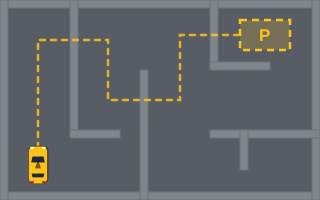
- C switches between the Follow and Overview cameras. In Parking Maze, a quick Overview look at the start of each level shows the whole walled deck.
- R restarts the current level instantly. In Tight Parking, with its collision limit of 3, restarting after two early scrapes is often smarter than limping on.
- P pauses.
- M mutes or unmutes sound.
Why the arrow keys sometimes scroll the page
Keyboard input only controls the car while a game is running. Everywhere else on the site, including before you start a game, the arrow keys scroll the page normally. That's deliberate: hijacking arrow keys site-wide would make pages hard to read and navigate with a keyboard.
If you press ↑ and the page moves instead of the car, start the game first.
How browser games usually handle keys
Under the hood, HTML5 games typically listen for "keydown" and "keyup" events and read the KeyboardEvent key property to see which key changed. Rather than moving the car directly on each event, the game records which keys are currently held, then checks that record once per frame in its update loop. That's why holding a key produces smooth, continuous steering instead of stuttering at your operating system's key-repeat rate. A game that only wants to capture keys during play can also choose to cancel the browser's default scrolling behavior only while a level is active, which matches what you see here.
Keyboard drills worth trying
- Stop-on-Space drill. In the first level of Parking Challenge, finish five parks using only Space for the final stop.
- Tap-steering drill. In Precision Parking, try to enter the bay with the live accuracy readout already high, using only taps for the last approach.
- One-hand camera drill. In Parking Maze, practice pressing C without lifting your fingers from the driving keys.
If you split time between a laptop and a phone, the mobile controls guide covers the touch buttons, which behave the same but feel quite different. For why the car responds the way it does to your keys, read how arcade vehicle steering works.