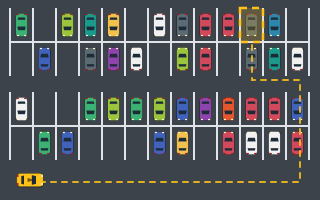
Parking Lot
Easy: four big scrolling lots with aisles and islands. Find the right bay and park in it.
Parking Challenge is the all-round starting point: five hand-built open-air lots where you steer between rows of parked cars and settle into a glowing bay. Early bays let you drive straight in, and a later one adds a direction arrow you have to respect.
Touch, or click and hold the buttons. Keyboard: W A S D or the arrow keys.
| W / ↑ | Accelerate |
|---|---|
| S / ↓ | Brake — keep holding when stopped to reverse |
| A / ← · D / → | Steer left · steer right |
| Space | Brake (never reverses) |
| P / Esc | Pause / resume |
| R | Restart the level |
| C · M | Camera follow/overview · sound on/off |
| Touch / mouse | Hold ◀ ▶ to steer, GAS to accelerate, BRAKE / REV to brake and reverse |
Drive from your start position to the glowing dashed bay marked P in each of the five lots. A park counts when all four corners of the car are inside the lines, your heading is within 12° of the bay, and the car is nearly stopped. Hold still for about half a second while the Hold… indicator fills, and the level is complete.
Early levels use forward-in bays with no arrow, which accept the car either way round. A later level adds an arrow to the bay, and then your car's nose must point the way the arrow does.
Levels: Five hand-built open-air lots that start with simple forward-in bays and build toward a direction-marked bay, with more parked cars, cones and barriers in the way.
Each level pays +500 for completing it, plus your accuracy × 3 (up to +300), plus 10 points for every second you finish under that level's par time. Every collision with a parked car, cone or barrier takes off 100 points, and a level score never drops below 0. Your run score is the total of all five levels, and your best run score and best time are saved locally in your browser. Our guide to parking game scoring walks through the math.
These are arcade scoring rules for a game, not an assessment of real-world driving.
Full breakdown: how parking game scoring works.
These are gameplay tips for this arcade game, not real-world driving advice. More in Parking Challenge Games · Obstacle Parking Games.
Easy: four big scrolling lots with aisles and islands. Find the right bay and park in it.

Slalom past cones, through gates and along cone lines, then park before the timer runs out.
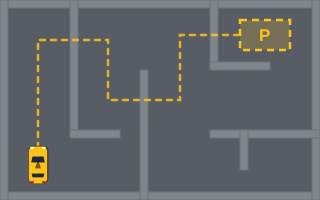
Walled maze decks with dead ends and a timer. Find the route to the bay in the far corner.
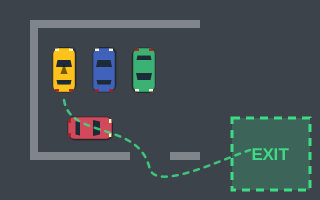
Start boxed in by cars and walls, then maneuver out to the green EXIT zone. No bay needed.
What lot-based parking challenge games throw at you: par times, direction-marked bays, huge scrolling lots and a new daily layout, plus a plan for each.
Learn the keyboard and touch controls, read the HUD, and finish your first parking level step by step, from finding the bay to the half-second Hold.
The exact scoring formula: 500 for finishing, accuracy × 3, 10 points per second under par, −100 per collision, plus how Parking Rush and Perfect Park differ.
Only when the bay shows an arrow. Bays without an arrow accept the car in either direction, so you can back in if that suits your approach. When there is an arrow, your car's nose must point the way it does.
The car has to stay nearly stopped, fully inside the bay and within 12° of the bay direction for about half a second. If you creep forward or back while the indicator fills, it starts over. Brake fully and let go of the steering.
Each level has a target time. Finish under it and you earn 10 points for every second you are under par. Finishing over par costs nothing; you simply miss the bonus.
Parking Challenge is rated Medium. Parking Lot is rated Easy and focuses on finding the right bay in big scrolling lots, which makes it a gentle place to get used to the controls.
Stored only in this browser.