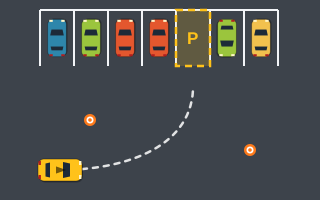
Parking Challenge
Five open-air lot levels with parked cars, cones and par times. Park clean and beat the clock.
Daily Parking Challenge builds one new layout per day from your device's local date: a random lot with parked cars, cones and a bay with its own direction. Come back tomorrow and there is a different one waiting.
Touch, or click and hold the buttons. Keyboard: W A S D or the arrow keys.
| W / ↑ | Accelerate |
|---|---|
| S / ↓ | Brake — keep holding when stopped to reverse |
| A / ← · D / → | Steer left · steer right |
| Space | Brake (never reverses) |
| P / Esc | Pause / resume |
| R | Restart the level |
| C · M | Camera follow/overview · sound on/off |
| Touch / mouse | Hold ◀ ▶ to steer, GAS to accelerate, BRAKE / REV to brake and reverse |
Park in today's bay as quickly, accurately and cleanly as you can. The layout, including the lot, parked cars, cones, bay position and bay direction, is generated from your device's local date, so it changes each day.
A timer, your accuracy and your collision count are shown, and your personal best for today and all-time best are stored locally in your browser.
Levels: One layout per day, generated from your device's date, with a new lot, parked cars, cones, bay and direction each time.
Your score follows the standard level formula: +500 for parking, accuracy × 3 (up to +300), 10 points per second under par, and −100 per collision, never below 0. Your best for today and your all-time best are kept in your browser's local storage; there is no global leaderboard.
It is arcade scoring for a daily puzzle, not an assessment of real driving.
Full breakdown: how parking game scoring works.
These are gameplay tips for this arcade game, not real-world driving advice. More in Parking Challenge Games · Time Parking Games.
Five open-air lot levels with parked cars, cones and par times. Park clean and beat the clock.

Endless timed mode: start with 40 seconds, earn time with each park, and keep the run alive.
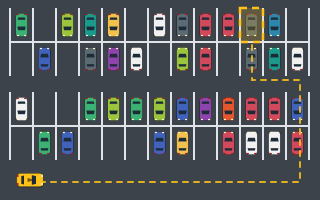
Easy: four big scrolling lots with aisles and islands. Find the right bay and park in it.

Slalom past cones, through gates and along cone lines, then park before the timer runs out.
What lot-based parking challenge games throw at you: par times, direction-marked bays, huge scrolling lots and a new daily layout, plus a plan for each.
The exact scoring formula: 500 for finishing, accuracy × 3, 10 points per second under par, −100 per collision, plus how Parking Rush and Perfect Park differ.
How to drive parking arcade games with WASD or arrow keys, when to use Space instead of S, tapping vs holding, and why arrows only steer while a game runs.
It is generated from your device's local date, so a new layout appears when the date on your device changes.
No. Your personal best for today and your all-time best are stored locally in your browser. You can share a result with the share button or Copy Result.
Yes. Replay as often as you like; your best result for today is kept.
Your saved bests live in your browser's local storage, so clearing site data removes them.
Stored only in this browser.