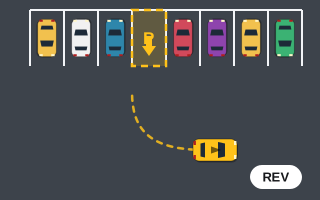
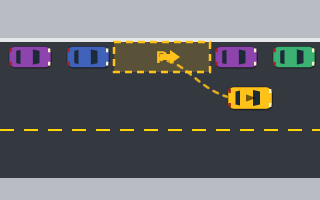
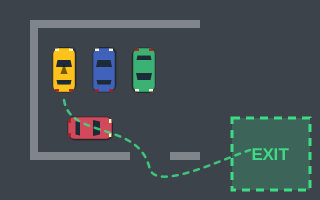
Steering in an arcade parking game has to feel like a car without behaving like a full driving simulator. Most browser games, including every game on Play Parking, get there with a simplified bicycle-style model: the car is treated as one front wheel that steers and one rear wheel that follows, joined by a fixed wheelbase. That single idea explains almost every steering quirk you'll notice while playing.
Below is what that model means in practice, why it produces the behavior it does, and how to use it to steer more cleanly, especially in reverse.
The bicycle model in one paragraph
Picture a car from above and squash its two front wheels into one and its two rear wheels into one. Now you have a bicycle. The rear wheel always rolls in the direction the car's body points. The front wheel can be turned by some angle. When the bicycle moves, the front and rear wheels trace circles around a shared center, and the car's heading changes at a rate that depends on how fast it's moving, how far the front wheel is turned, and how long the wheelbase is. In code this often boils down to a line like "heading changes by speed × tan(steer angle) ÷ wheelbase each second."
Consequence 1: the car only turns while it's moving
Because the heading change is tied to speed, a stopped car doesn't rotate at all, no matter how hard you hold A or D. That's exactly how the Play Parking engine behaves. Holding a steering key at a standstill does nothing useful; you have to roll forward or backward for the input to matter.
This matters most in boxed-in situations like the start of each Parking Escape level. You can't pivot in place, so every change of angle has to be bought with a short roll. Small forward and reverse shuffles, each with full steering, rotate the car a few degrees at a time.
Consequence 2: turning is sharper at low speed
A pure bicycle model would turn the same circle at any speed. Arcade games usually add a tweak: the maximum steering angle shrinks as speed rises, which keeps the car from spinning wildly at full throttle. Play Parking does this too. Turning is sharper at low speed than at top speed.
The practical takeaway is simple. If a turn feels too wide, you're usually going too fast, not steering too little. Lift off the gas, let friction slow you, and the car will tighten its line on its own.
Consequence 3: steering self-centers
Release the steering keys or the "◀" and "▶" buttons and the front wheel eases back toward straight. That self-centering is common in arcade handling because it keeps the car stable when you let go. It also means you can't "set" a steering angle and forget it: to hold a curve, keep holding the key. For fine corrections, tap rather than hold, since each tap briefly turns the wheel and then lets it recover.
Consequence 4: reverse feels backward
When reversing, the rear of the car leads. In the bicycle model the rear wheel is now the "front" of the motion, and the steered wheel trails behind it. So steering left swings the rear to the left, and from the driver's point of view the nose swings the other way. That's the same thing a real car does in reverse, but on a screen, where you watch the car from above, it's easy to get mixed up.
A reliable mental trick: steer toward where you want the back of the car to go. If the bay is behind you and to the left, steer left while reversing. The Reverse Parking game is built around this, with every bay set up for backing in, and the reverse parking walkthrough goes step by step.
Speed and reverse limits
Top forward speed in the Play Parking engine is roughly twice the reverse speed. Combined with the speed-sensitive steering, that means reverse maneuvers are naturally slower and tighter. You'll find you can make fairly sharp corrections while backing up, which is handy for straightening up at the end of a park.
How the model shows up in each game
| Situation | What the steering model does | What to do |
|---|---|---|
| Wide turn into a bay | High speed reduces the steering angle | Slow down before the turn |
| Stuck against a wall | No rotation without movement | Roll back briefly while steering |
| Backing into a reverse-in bay | Rear leads, nose swings opposite | Steer toward where the rear should go |
| Parallel gap in Parallel Parking | Rear tracks inside the front's path | Start the reverse turn once your rear clears the front car |
| Economy scoring in Perfect Park | Every direction change is extra rolling | Plan one clean arc instead of many shuffles |
Why games don't simulate more
Full vehicle simulations model tire grip, weight transfer, suspension and slip angles. That's great for racing sims but gets in the way of a quick parking puzzle. A bicycle model is cheap to compute every frame, predictable, and easy to tune: a designer can adjust the wheelbase, the maximum steering angle and how fast steering recovers until the car feels right. The result is handling that's consistent enough to plan around, which is what precision parking needs. The guide to parking game physics covers the other half of the picture: speed, friction and collisions.
Putting it together
If you remember only three things: steer while moving, slow down to turn tighter, and in reverse steer toward where the rear should go. Those three habits explain most clean parks and most scrapes. Try them in the precision parking games, where the 8° angle tolerance rewards smooth steering, and see the parking game controls guide for every key and button that feeds into the model.