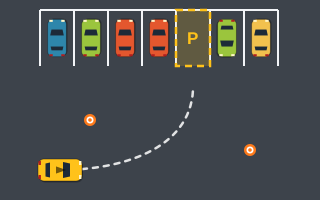
Parking Challenge
Five open-air lot levels with parked cars, cones and par times. Park clean and beat the clock.
Parking Lot is the relaxed, navigation-first game on the site. Its four lots are bigger than the screen, so the real challenge is finding your way along the aisles to the right bay.
Touch, or click and hold the buttons. Keyboard: W A S D or the arrow keys.
| W / ↑ | Accelerate |
|---|---|
| S / ↓ | Brake — keep holding when stopped to reverse |
| A / ← · D / → | Steer left · steer right |
| Space | Brake (never reverses) |
| P / Esc | Pause / resume |
| R | Restart the level |
| C · M | Camera follow/overview · sound on/off |
| Touch / mouse | Hold ◀ ▶ to steer, GAS to accelerate, BRAKE / REV to brake and reverse |
Find the target bay in each of four large lots and park in it. The lots scroll beyond the edges of the screen, with aisles, rows of parked cars and islands between you and the space.
When you get there, the standard rule applies: all four corners inside, heading within 12°, and the car held nearly still for about half a second.
Levels: Four large scrolling lots, each with more aisles, islands and parked cars to navigate on the way to the bay.
Each lot scores +500 for parking, accuracy × 3 (up to +300), 10 points for every second under par, and −100 per collision, never below 0. Because the lots are large, most of your time bonus comes from choosing a short route rather than driving fast.
The points are part of the game only and are not an evaluation of real driving.
Full breakdown: how parking game scoring works.
These are gameplay tips for this arcade game, not real-world driving advice. More in Parking Challenge Games.
Five open-air lot levels with parked cars, cones and par times. Park clean and beat the clock.
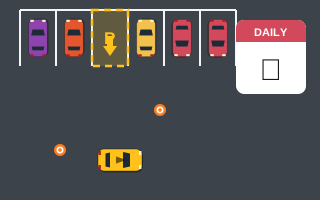
A new lot every day, generated from your device's date. Beat today's best and your all-time best.
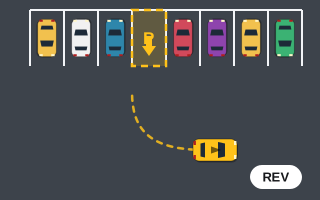
Every bay is reverse-in. Five levels of backing into spaces as the neighboring cars close in.
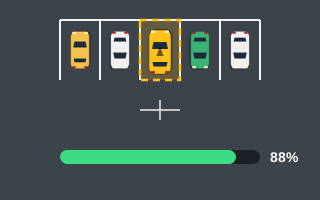
A hard game for neat parkers: 8° tolerance and accuracy targets that rise from 50% to 80%.
Learn the keyboard and touch controls, read the HUD, and finish your first parking level step by step, from finding the bay to the half-second Hold.
What lot-based parking challenge games throw at you: par times, direction-marked bays, huge scrolling lots and a new daily layout, plus a plan for each.
Every control in Play Parking games in one place: gas, brake, reverse, steering, pause, restart, camera and sound, on keyboard, touch screen and mouse.
The lots are bigger than the screen. Follow the arrow at the edge of the screen, or press C to switch to the Overview camera and see the whole area.
Yes. It is rated Easy, uses the standard 12° tolerance, and puts the focus on navigation, so it is a comfortable place to learn the controls.
Both have a job. Overview is best for planning a route at the start, and Follow gives a closer view for the final approach. Press C to switch between them at any time.
Stored only in this browser.