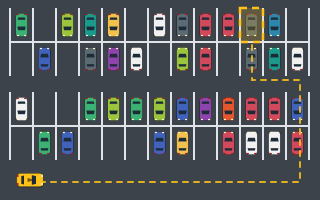
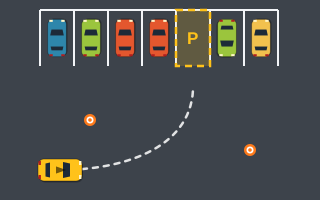
To play a parking game on Play Parking, press play, drive toward the glowing "P" bay, slow down as you enter it, and stop with the whole car inside and pointing the right way. Hold still for about half a second and the level is complete. Everything else, from reversing to camera tricks, builds on that one routine.
This guide covers the controls on each device, what the on-screen information means, and a slow-motion walkthrough of a first level so the process feels natural before you tackle harder games.
Controls at a glance
| Action | Keyboard | Touch or mouse |
|---|---|---|
| Accelerate | W or Arrow Up | GAS |
| Brake, then reverse | S or Arrow Down (keep holding once stopped) | BRAKE / REV (keep holding once stopped) |
| Steer | A / D or Arrow Left / Right | ◀ and ▶ |
| Brake only (no reverse) | Space | – |
| Pause | P | – |
| Restart level | R | – |
| Follow / Overview camera | C | – |
| Sound on/off | M | – |
Keys only drive the car while a game is running. The rest of the time the arrow keys scroll the page as usual. On touch screens, page scrolling is blocked while your finger is on the game area or the buttons, so a stray swipe won't pull the view away mid-turn.
Three handling facts to learn first
- No movement, no turning. Holding a steering key while parked does nothing. You need a little speed, forward or backward, before the nose will swing.
- Slow is sharp. The car turns tighter at low speed than at top speed. If a corner looks too tight, the answer is usually to go slower, not to steer harder.
- Steering recenters. Let go of left or right and the wheels straighten on their own. Short taps give small corrections, and a long hold gives a full lock.
With no pedal pressed, friction gradually slows the car. That coasting is useful on the final approach, because you can release GAS early and drift into the bay without touching the brake at all.
Reading the HUD
The HUD tells you what the game thinks of your position in plain words, not just colors. As soon as any part of the car overlaps the bay, a live accuracy percentage appears. Watch for these status messages:
- "Inside bay": all four corners are in. Now make sure you are straight and slow.
- "Angle off": you are inside but crooked beyond the tolerance, which is usually 12°. Roll forward or back a touch while steering to straighten.
- "Hold…": everything checks out. Keep the car still while the indicator fills.
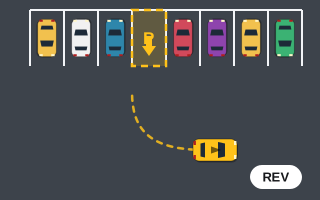
Depending on the level, you may also be working against a countdown or a collision limit, so keep an eye on both. A bay with an arrow in it means your car's nose must end up pointing that way. A bay without an arrow accepts either direction.
Walkthrough: your first level
Open Parking Lot, the Easy-rated game with big scrolling lots, and try this sequence.
1. Look before you drive
Press C to switch to the Overview camera and see the whole lot. Spot the "P" bay, note whether it has an arrow, and trace a route down the aisles. Press C again to return to the Follow camera, which is easier to steer with.
2. Travel at a comfortable pace
Accelerate along the aisle. If the bay goes off screen, follow the arrow at the screen edge. Don't max out the speed near parked cars. A contact bounces you back and costs you both speed and 100 points.
3. Set up wide
For a forward-in bay, swing slightly to the side opposite the bay before turning in. That extra room lets you enter straighter instead of cutting across the neighbors.
4. Enter slowly and straighten
Ease off the gas as the nose crosses the bay line. Use short steering taps to line up with the painted edges. Watch the accuracy readout climb as you center up.
5. Stop with Space and hold
Tap Space to stop exactly where you want. Unlike S, it will never tip you into reverse. Once the HUD reads "Hold…", don't touch anything. About half a second later you'll see "Parking Complete!", or "Perfect Park!" if accuracy is 90% or higher.
When a level goes wrong
If you are wedged at a bad angle, reversing is usually faster than grinding forward. Keep holding S or BRAKE / REV after the car stops and it will back up. Just remember the rear leads in reverse, so steering left swings the tail left. Our guide to mastering reverse parking covers that in depth.
If the run is clearly lost, press R to restart the level instantly. When a timer runs out or a collision limit is exceeded, the level fails and "Try Again" restarts it. Points from any levels you already completed in that run are kept.
What to play next
Once you can park reliably in Parking Lot, try Parking Challenge, where par times start to matter and a later level adds a direction-marked bay. Then test your backing skills in Reverse Parking. If you want to understand where your points come from, read how parking game scoring works. For the bigger picture of the genre, see what parking arcade games are.