Mastering reverse parking in a game comes down to one mental switch: when you're rolling backward, steer toward where you want the rear of the car to go. Once that feels automatic, the rest is slow speed, a good starting position and patience. This guide gives you a practice plan to build that habit on purpose instead of by trial and error.
If you'd like a background explanation of back-in bays and the direction arrow first, read reverse parking games explained. This page is about the practice.
Why reversing is hard to learn by feel
The engine treats reverse exactly as a real car would: the rear leads, and steering left swings the rear to the left while the nose swings the other way. From a top-down view, your car might be pointing toward the bottom of the screen, so a left key press moves the tail toward the screen's right. Your eyes and your fingers disagree, and your instincts steer wrong.
The good news is that the engine is consistent. The car only turns while moving, always turns more sharply at low speed, and always self-centers when you release. That predictability means deliberate practice works.
Controls you'll use constantly
- Enter reverse: hold S, Arrow Down or "BRAKE / REV". The car brakes, stops, then backs up if you keep holding.
- Stop without reversing: Space. This is your "freeze" button.
- Restart instantly: R, for resetting a drill in a second.
- See everything: C toggles the Overview camera, useful for judging distances behind you.
Five drills, in order
Use the first level of Reverse Parking as your practice ground. You don't have to finish the level during a drill; press R whenever you want to reset.
Drill 1: Straight line backward
Reverse without steering and watch how the car tracks. Then add a single short tap left and a single tap right. Notice which way the tail moves each time. Say it out loud if that helps: "left tap, tail goes left."
Drill 2: The tail-first arc
Hold reverse and a full steering lock together, at the slowest speed you can manage. The tail traces a tight circle. Now do it faster. The circle gets wider, because steering is weaker at speed. This drill teaches you that speed is part of steering.
Drill 3: Stop-and-freeze
Reverse, then tap Space to stop dead. Repeat until you can stop within a small distance of a chosen point, such as the edge of a parked car. Precise stops are what keep you out of collisions when backing into narrow bays.
Drill 4: Release to straighten
Start an arc, then let go of steering when the car is lined up with a row of painted bays. The self-centering wheels will carry you straight back. Practice releasing slightly early, since the car can keep rotating a little while the steering recenters.
Drill 5: The full back-in
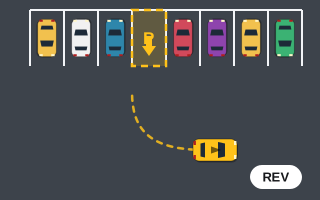
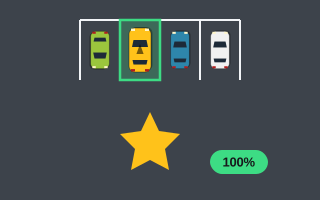
Now park for real. Drive forward until your rear bumper is past the bay, stop with Space, reverse with steering toward the bay's side, release as you line up, and back straight in. Stop when the whole car is inside and wait out the "Hold…".
A level-by-level progression
| Stage | Game | Goal before moving on |
|---|---|---|
| 1 | Reverse Parking, levels 1–2 | Finish without any collisions. |
| 2 | Reverse Parking, levels 3–5 | Complete a full run as neighbors close in. |
| 3 | Parking Escape | Reverse out of boxed-in starts without going over the 3-collision limit. |
| 4 | Parallel Parking | Use reverse S-curves to fit shrinking curbside gaps. |
| 5 | Tight Parking | Clear the narrow reverse-in levels within the 8° tolerance. |
| 6 | Perfect Park | Back in with as few forward/reverse switches as possible. |
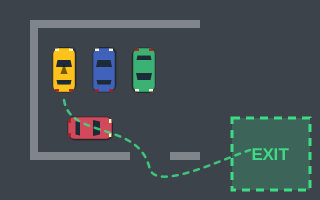
Parking Escape is a useful detour because it flips the problem around. There's no bay; you start hemmed in by parked cars and walls and must work out to the green EXIT zone. Reversing out of a tight box is the same skill as reversing in, just in the other direction.
For the curbside stage, our parallel parking games guide breaks the S-curve down step by step.
Fixing the four classic reversing errors
The tail swings the wrong way
You steered for the nose, not the tail. Stop with Space, think "where should the back bumper go?", and steer that way.
The car ends up crooked in the bay
You held the steering too long. Release earlier and let self-centering do the work. If the HUD shows "Angle off", drive forward a short way out and reverse in again straighter.
You can't get the tail in at all
You started too close to the bay. Stop farther past it so the arc has room, and reverse more slowly for a tighter swing.
You back into something behind you
Usually you held S to stop and it slipped into reverse. Use Space for stopping. When the space behind is hard to judge, press C for the overview.
Reversing economically in Perfect Park
The final stage changes the priorities. In Perfect Park, every switch between forward and reverse costs 25 points, and driving beyond the ideal route costs extra. The HUD tracks moves and distance. Aim for a single forward pass to set up and a single reverse to finish. That's one direction change and a 25-point cost, and it's only achievable once drills 2 through 4 feel natural.
Once you can back in reliably, tips for tight parking games will help you carry the skill into the narrowest bays. You'll find every back-in game on the reverse parking games page.